Here is the general workflow I used to complete a recent data merge and cleanup project.
TASKs:
- Merge data from 5 different data structures (Approximately 4Gb in 148 files)
- Extract business related to commercial painting
- Format data
- Create consolidated Master file
- Create separate files divided by State where business is located
Tools:
- Python’s Pandas library
- MS Office Visual Basic for Applications (VBA)
Workflow
- Explore data structure – First we explore the structure of each data set. Below we can see that many of the column titles do not match. For example, for Company Name we have ‘COMPANY_NAME’, ‘NAME’, ‘Company’ and ‘Business Name’. Also as expected not all datasets contain the same type of information.





2. Create Master Dataset – In order to merge all the data, a Master Dataset was engineered to collect each represented columns across all datasets and the appropriate items were mapped to the respective columns on the Master Dataset.
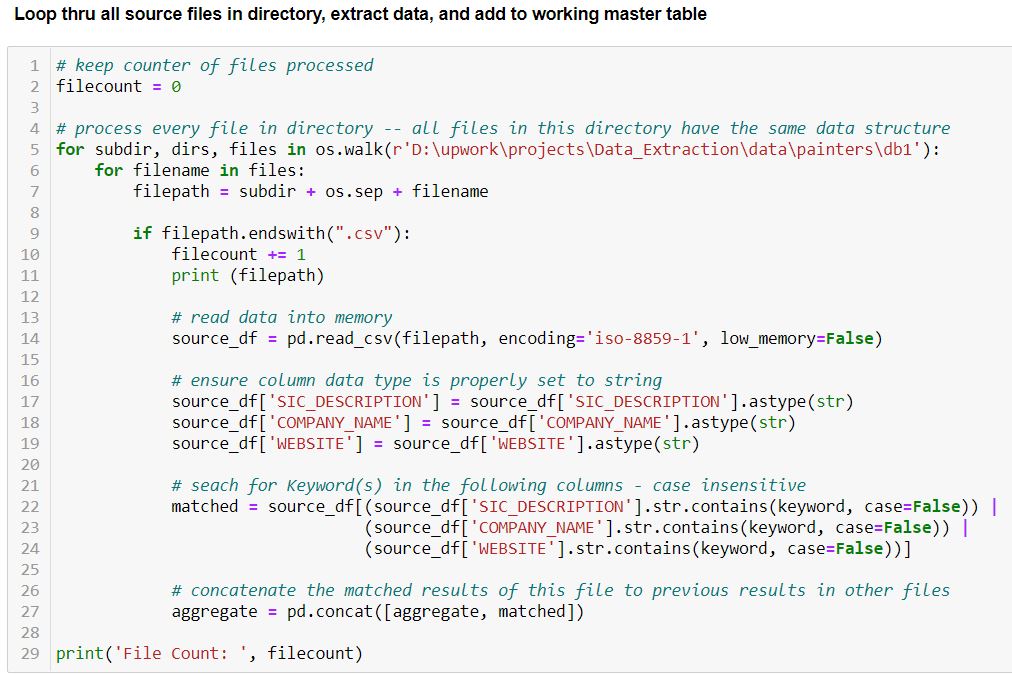
3. Define Top Level Filter and extract records – The following code looked for the term ‘paint’ in the columns ‘COMPANY_NAME’, ‘SIC_DESCRIPTION’, and ‘WEBSITE’. Records with a match were extracted and compiled.
Because each of the datasets had a unique structure, this code had to be tweaked for each file structure.

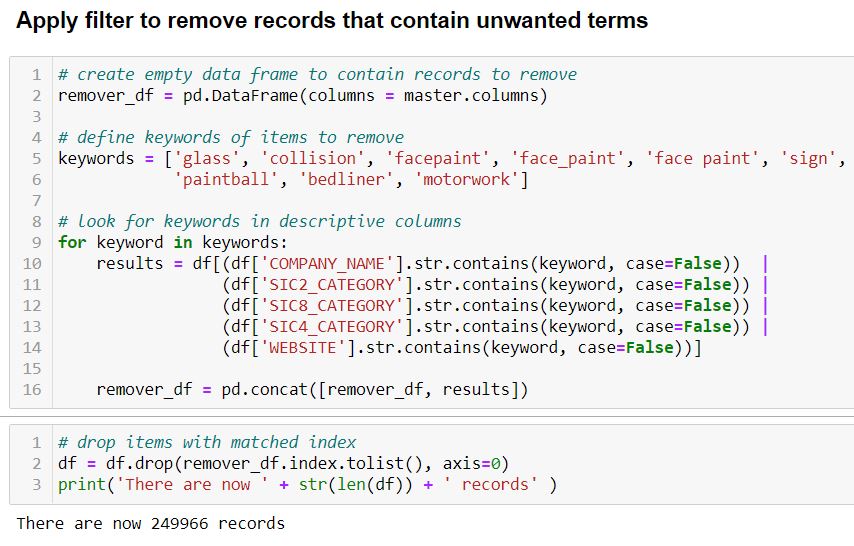
4. Apply second filter – A look at the resulting data indicates we still have many records that we do not want. As the client in interested in residential and commercial painting we do not need business that work on automobiles, face paint or paintball. We search and filter out those records.
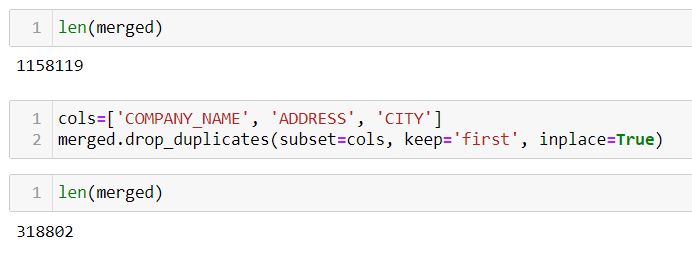
5. Drop duplicated business entries – We consider any business that have the same Company Name, Address, and city as being duplicated and we keep only the first reference to it in the data set. This brings the total record count from 1,158,119 to 318,802.
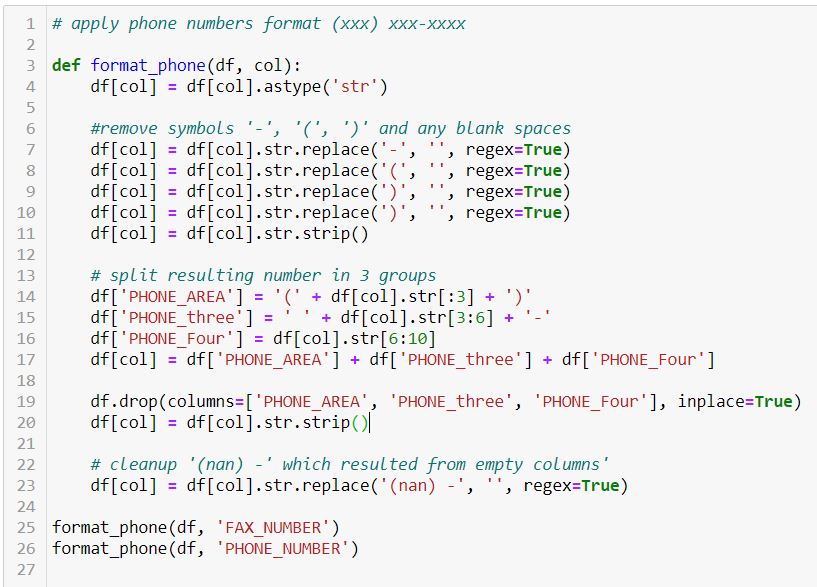
6. Format and Standardize entries – The phone and fax numbers contained mixed formats. Some numbers were entered without any format such as 14072332211, other formatted as (###) – ###- ####. The code applied first strips the entries to numbers only and then applies the (###) – ### – #### format.
Other text type entries were standardize.
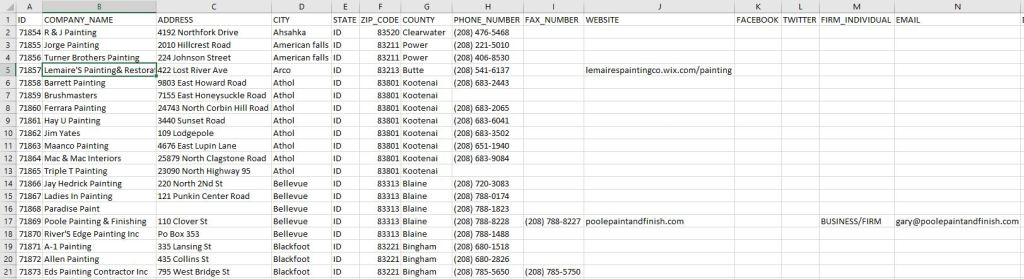
7. With the data filtered and cleaned up a Master data file was created and well as a set of files divided by State.
 Birr-Data